Photo Restoration AI - Revive Old Photos with AI Technology
- September 26, 2025
Table of Contents
Photo Restoration AI Overview
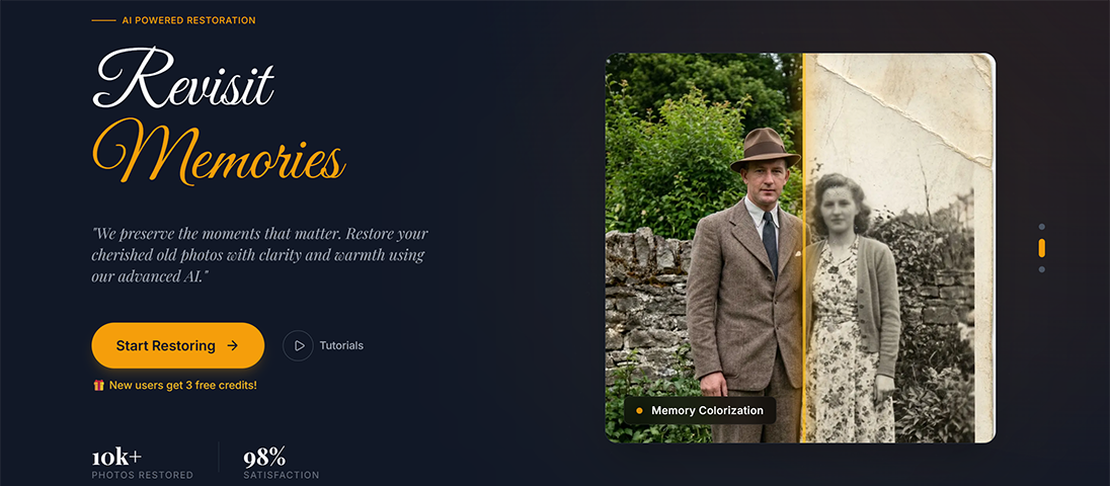
Photo Restoration AI is a powerful AI-based old photo restoration tool that brings faded, damaged photos back to life. Upload your treasured old photos, select the appropriate restoration scene and options, and watch as AI technology transforms worn images into clear, vibrant photographs that preserve your precious memories.
Why Photo Restoration AI Matters
Old photographs capture irreplaceable moments—family gatherings, milestone events, and loved ones who may no longer be with us. Over time, these precious images fade, develop scratches, and deteriorate. Photo Restoration AI leverages cutting-edge Gemini AI models to reverse the effects of time, giving new life to photographs that might otherwise be lost forever.
Key Features for Photo Restoration
- Photo Upload & Cropping: Support for multiple image formats with a built-in cropping tool for precise restoration areas.
- Scene Selection: Four specialized restoration scenes—Solo Portrait, Group Portrait, Solo Landscape, and Group Landscape.
- Colorization: Transform black and white photos into natural, realistic color images.
- Damage Repair: Fix scratches, stains, creases, and other physical damage on old photos.
- Modern Remaster: Optimize and modernize the colors of old faded color photographs.
- AI-Powered Restoration: Intelligent photo repair powered by advanced Gemini AI models.
- Credits System: Integrated Stripe payment system allows users to purchase credits for restoration.
- Secure Authentication: Clerk integration provides safe and seamless login/registration experience.
- Multi-Language Support: Available in Chinese, English, Japanese, French, and Spanish.
- Responsive Design: Perfectly optimized for both mobile and desktop devices.
Restoration Scenes
| Scene Type | Best For |
|---|---|
| Solo Portrait | Single person portrait photographs |
| Group Portrait | Group photos with multiple people |
| Solo Landscape | Single person in scenic backgrounds |
| Group Landscape | Multiple people in scenic settings |
Restoration Options
| Option | Function |
|---|---|
| Colorize | Convert black and white photos to natural color |
| Repair | Fix scratches, stains, creases, and physical damage |
| Modernize | Optimize colors for old faded color photographs |
Quick Start Guide
- Visit the Photo Restoration AI landing page to learn more about the tool.
- Navigate to the
/restoration/appworkspace to start restoring your photos. - Upload your old photo and use the built-in cropping tool to select the restoration area.
- Choose the appropriate scene type based on your photo content.
- Select your desired restoration options (Colorize, Repair, and/or Modernize).
- Click the restore button and let AI process your photo.
- Compare the before and after results side by side, then download your restored photo.
Technology & Design Excellence
Built with React 19.2, TypeScript 5.8, and Vite 6.2, Photo Restoration AI features a deep amber theme with nostalgic aesthetics. The split-panel layout provides intuitive controls on the left and side-by-side comparison of original and restored images on the right. Mobile devices automatically switch to a vertical layout for optimal viewing.
Privacy & Security Assurance
Photo Restoration AI prioritizes user privacy with secure authentication through Clerk. All user photos and data are handled with care, and the platform provides transparent privacy policies accessible at /restoration/privacy. The integrated payment system through Stripe ensures safe and reliable transactions.
Photo Restoration AI preserves your most treasured memories by bringing old photographs back to life with the power of AI technology.